Pill counting app for iOS and Android
Count pills
in real time.
Use your phone camera to count pills in real time. AI runs on your device, works offline, and does not upload counting images.
Free to download · In-app purchases available
Watch the demo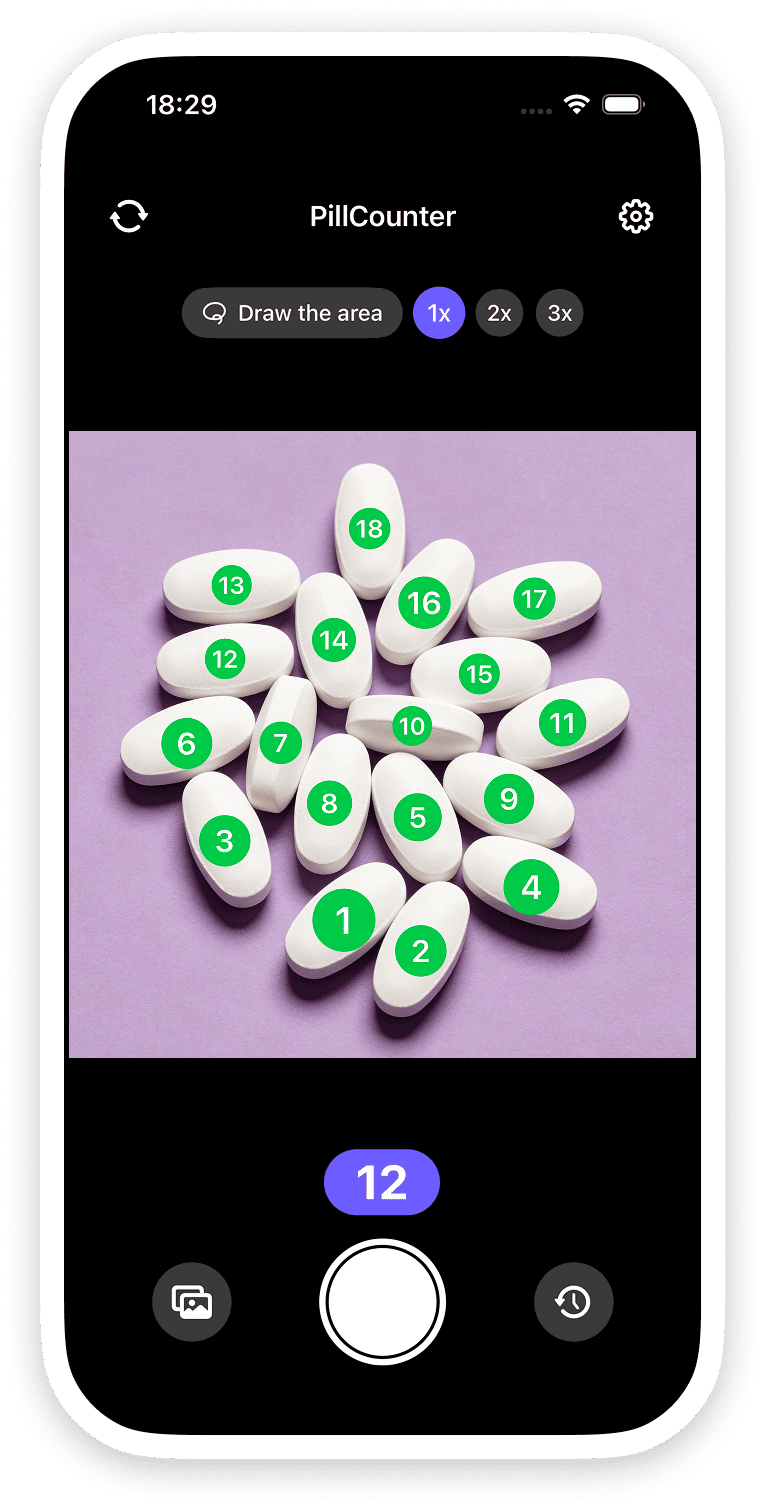
01 / COUNTING WITH A PHONE STAND
Mount your phone.
Count consecutive batches.
Use an iPhone stand to hold the camera above the pill tray. Pharmacists can keep both hands free to arrange pills while viewing the live count, without repeatedly picking up the phone or taking photos.
- 01
Mount the iPhone
Secure the iPhone in a stand with the camera facing the pill tray.
- 02
Start live counting
Open live counting, then place and arrange the pills on the tray.
- 03
Check and repeat
Verify the count, replace the pills, and continue with the next batch.
02 / OFFLINE AI
On-device AI.
No image uploads.
All AI detection and counting run on your device. No internet connection is needed to count. Counting images are not uploaded for processing or training.
Downloads, purchases, and contacting support require an internet connection.
PROCESSED ON YOUR DEVICE
No cloud uploadOn-device AIDetection and counting happen locally.
No connection needed to countKeep counting without Wi-Fi or mobile data.
No counting image uploadsYour images stay on your device.
03 / SAVING SETTINGS
Turn automatic
saving on or off.
You can turn automatic saving on or off for app history and your photo library separately.
Copies saved to Photos follow your device’s photo backup and sync settings.
Automatic saving
Save in the app
Choose whether to automatically keep counting results in your app history.
Save to Photos
Choose whether results are also saved automatically to your phone’s photo library.
App history is on. Photo saving is off.
Settings illustration. Change your preferences inside the app.
FAQ
Common questions
Do I have to take a photo first?
No. Open the camera and the app counts pills in real time. You can review the live marks and count before choosing to save a result.
Can I count without the internet?
Yes. AI detection and counting run on your device and work offline. An internet connection is needed to download the app, make or restore purchases, and contact support.
Are my counting images uploaded?
No. Counting images are processed on your device and are not uploaded for AI processing or training. If you deliberately send an attachment to support, that attachment is sent so we can help you.
Can I turn off saving?
Yes. You can control automatic saving to app history and automatic saving to your photo library separately in the app settings.
Is it available for my phone?
Pill Counter is available for iPhone and iPad on the App Store, and for Android on Google Play. Check your store listing for compatibility, current pricing, and availability.
Should I double-check the result?
Yes. Lighting, overlap, focus, and camera angle affect detection. Check the marked pills and verify the total before dispensing or administering medication.

Download Pill Counter
Available for iPhone, iPad, and Android.
Free to download · In-app purchases available